Build Apps Without Code? Yes, You Can! Your Complete Beginner's Guide to No-Code Tools
In short: No-Code tools allow you to create fully functional applications, websites, and automations by using visual editors and pre-built components, instead of writing traditional code. In this article, you'll learn the fundamentals of No-Code, its benefits, the best tools for getting started, and how to develop your first app without any programming knowledge.
The digital world is evolving rapidly, and with it, the demand for new applications and solutions. However, not everyone has the time or resources to learn a programming language from scratch. This is where No-Code tools come in – a revolution that empowers everyone to turn their ideas into reality, regardless of technical background.
1. What Exactly Are No-Code Tools?
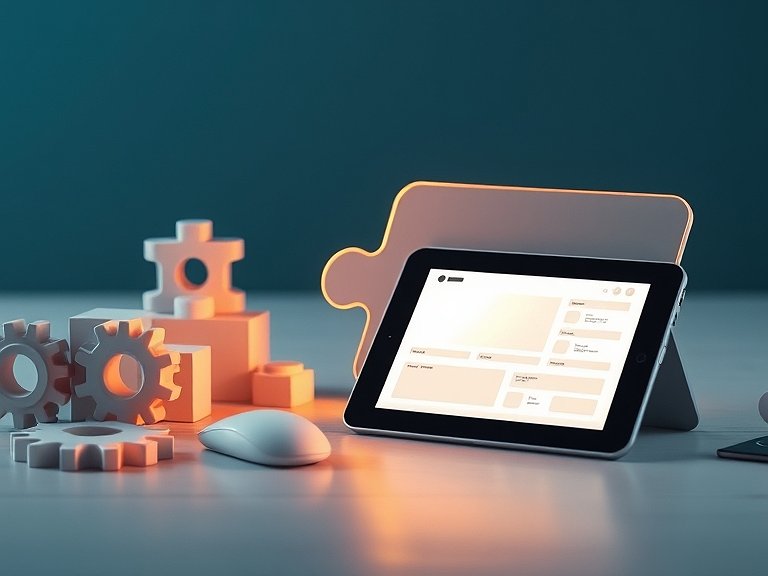
No-Code tools are software platforms that enable users to create applications and websites through drag-and-drop functionalities, visual interfaces, and configurations, rather than writing manual code. Imagine building a Lego model: instead of shaping each piece yourself, you choose from pre-built blocks and assemble them. No-Code tools work similarly with digital building blocks.
They abstract the complexity of programming, translating your visual instructions into the underlying code. The result? A fully functional application that does exactly what you want, but without the effort and learning curve typically associated with software development.
Important Note: Don't confuse No-Code with Low-Code! Low-Code platforms still require some coding knowledge to extend specific functionalities or integrations, while No-Code operates entirely without code.
2. Why Should You Use No-Code? Benefits at a Glance
The popularity of No-Code is growing exponentially, and for good reason. Here are the key benefits that No-Code tools offer:
- Rapid Development: Projects can be realized in days or weeks instead of months. This is ideal for startups needing a quick prototype or businesses looking to optimize internal processes.
- Cost-Effectiveness: You save on developer salaries or expensive agency fees. Many No-Code platforms offer affordable subscription models.
- Accessibility for Everyone: Whether you're a marketing expert, a small business owner, or a designer – anyone can bring their ideas to life without needing to learn programming.
- Flexibility and Iteration: Changes can be made quickly and easily. This allows you to continuously improve your application based on user feedback.
- Fewer Errors: Since the code is generated by the platform, most technical errors that could occur with manual programming are eliminated.
- Focus on the Solution: Instead of dealing with syntax and bugs, you can fully concentrate on the problem your application aims to solve.
3. Use Cases for No-Code: What Can You Build With It?
The possibilities with No-Code are more diverse than you might think. Here are some common applications:
3.1. Websites and Landing Pages
Create professional websites, blogs, or landing pages for marketing campaigns. Tools like Webflow or Carrd are particularly strong here.
3.2. Mobile Apps
Build native or web apps for iOS and Android, from simple informational apps to complex marketplaces. Bubble and Adalo are leaders in this space.
3.3. Internal Tools and Dashboards
Optimize business operations by creating CRM systems, project management tools, inventory management systems, or HR portals. Glide and Softr are excellent for this.
3.4. Automations and Workflows
Connect various services and automate repetitive tasks, such as sending emails upon new sign-ups or synchronizing data between apps. Tools like Zapier or Make (formerly Integromat) are indispensable here.
3.5. Online Marketplaces and Communities
Create platforms where users can interact, sell products, or offer services.
4. The Best No-Code Tools for Beginners (and Advanced Users)
The No-Code tool market is constantly growing. Here's a selection of the most popular and powerful platforms you should consider for getting started:
- Bubble: The gold standard for building complex web applications. With Bubble, you can create almost anything, from social networks to SaaS products. It has a steeper learning curve, but the possibilities are limitless.
- Webflow: Ideal for sophisticated, responsive websites and e-commerce stores with complete design freedom. It's a favorite among designers who want no coding limitations.
- Adalo: Perfect for rapid development of native mobile apps (iOS & Android) and web apps. It's very user-friendly and ideal for beginners.
- Glide: Creates mobile apps and internal tools directly from Google Sheets or Excel spreadsheets. Incredibly easy to use and ideal for data-driven applications.
- Zapier / Make (formerly Integromat): Not pure app builders, but essential for automating workflows and connecting your No-Code apps with other services.
- Softr: Builds websites and web apps from data in Airtable or Google Sheets. Ideal for portals, dashboards, and mini-CRMs.
5. How to Start Your No-Code Journey: Step by Step
Practical Guide: Your First No-Code App in 5 Steps
Ready to get started? With this simple plan, you can create your first No-Code app or website:
- Step 1: Identify the Problem & Refine Your Idea. Before choosing a tool, ask yourself: What problem do I want to solve? For whom? What exactly should the app do? A clear vision is crucial. Write down the core functionalities.
- Step 2: Choose the Right No-Code Tool. Based on your idea (Step 1), select the tool that best fits (see Section 4). For a simple landing page, Webflow or Carrd would be good; for a mobile app, Adalo or Glide; for a complex web app, Bubble. Many tools offer free trial periods!
- Step 3: First Steps in the Tool & Tutorial. Most No-Code platforms offer excellent tutorials and documentation. Take your time to go through them. Get familiar with the user interface, how to add elements, manage data, and create workflows.
- Step 4: Build a Prototype and Test. Create a first, simple version of your app. Focus on the core functionalities. Test it yourself and ask friends or potential users for feedback. No-Code makes it easy to make changes quickly.
- Step 5: Publish and Iterate. Once your app meets the basic requirements, publish it! Start small and gradually expand features based on user feedback. No-Code is perfect for this iterative approach.
Conclusion: The Future is No-Code
No-Code tools are more than just a trend; they are a fundamental shift in software development. They democratize access to technology, empowering everyone to become a 'creator.' Whether you want to test a business idea, optimize an internal process, or simply express your creativity – No-Code provides you with the tools to do so, without having to struggle through complex programming languages.
Getting started is easier than ever. Choose a tool that fits your project and start building today. You'll be surprised at what you can achieve!
If you're looking for support on your No-Code journey or want to connect with like-minded individuals, Skill Tandem is the perfect platform for you. Find tech mentors who can guide you through the world of No-Code tools, or coding buddies with whom you can collaborate on projects. It's completely free!
Sign up for free and find learning partners now!
FAQ: Frequently Asked Questions about No-Code Tools
What is the difference between No-Code and Low-Code?
No-Code platforms require no programming knowledge and enable purely visual development. Low-Code platforms, on the other hand, also offer visual development but often require some code to implement specific functions or complex integrations.
Can I really build complex applications with No-Code?
Yes, absolutely! Tools like Bubble allow you to create highly complex web applications that can often compete with traditionally coded applications. The complexity heavily depends on the chosen tool and your ability to utilize the platform optimally.
Is No-Code secure for business applications?
Reputable No-Code platforms prioritize security and data protection. They often offer enterprise-grade security standards. However, it's crucial to review the security features of the respective platform and adhere to data protection best practices, especially when handling sensitive data.
What programming languages do No-Code tools replace?
No-Code tools don't directly replace programming languages like Python, JavaScript, or Java, but rather abstract their necessity for certain use cases. They generate the underlying code that would be needed to run the visually created application. They are an alternative to manual coding, not a replacement for the languages themselves.
How long does it take to learn No-Code?
You can often learn the basics of most No-Code tools within a few hours or days. However, to build truly complex applications and master the platforms, it can take weeks or months, similar to learning a new programming language. The advantage is that you achieve immediate visible results along the way.




Guter Punkt! Um wirklich dranzubleiben, blocke ich mir immer feste Zeiten im Kalender, nur für meine No-Code Projekte. Das hilft ungemein! 💪